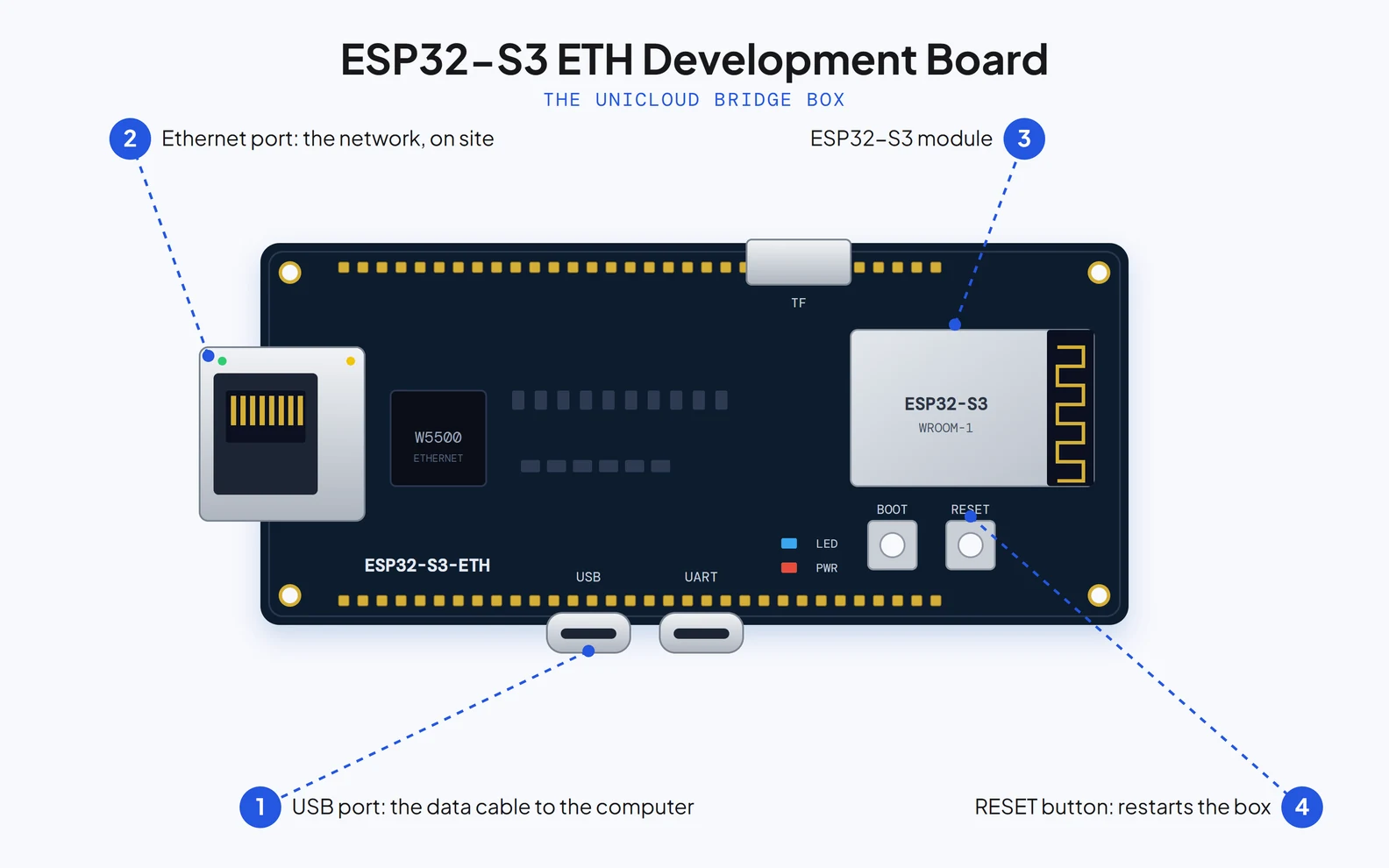
The bridge box is an ESP32-S3 ETH Development Board. To flash it: a Windows computer and a USB data cable, not a charge-only cable.
USB port: the data cable to the computer
Ethernet port: the network, on site
ESP32-S3 module
RESET button: restarts the box
ESP32-S3 ETH Development Board with four callouts
UniCLOUD · Setting up a bridge box3 / 10
I
On the dealer platform
Go to your dealer platform
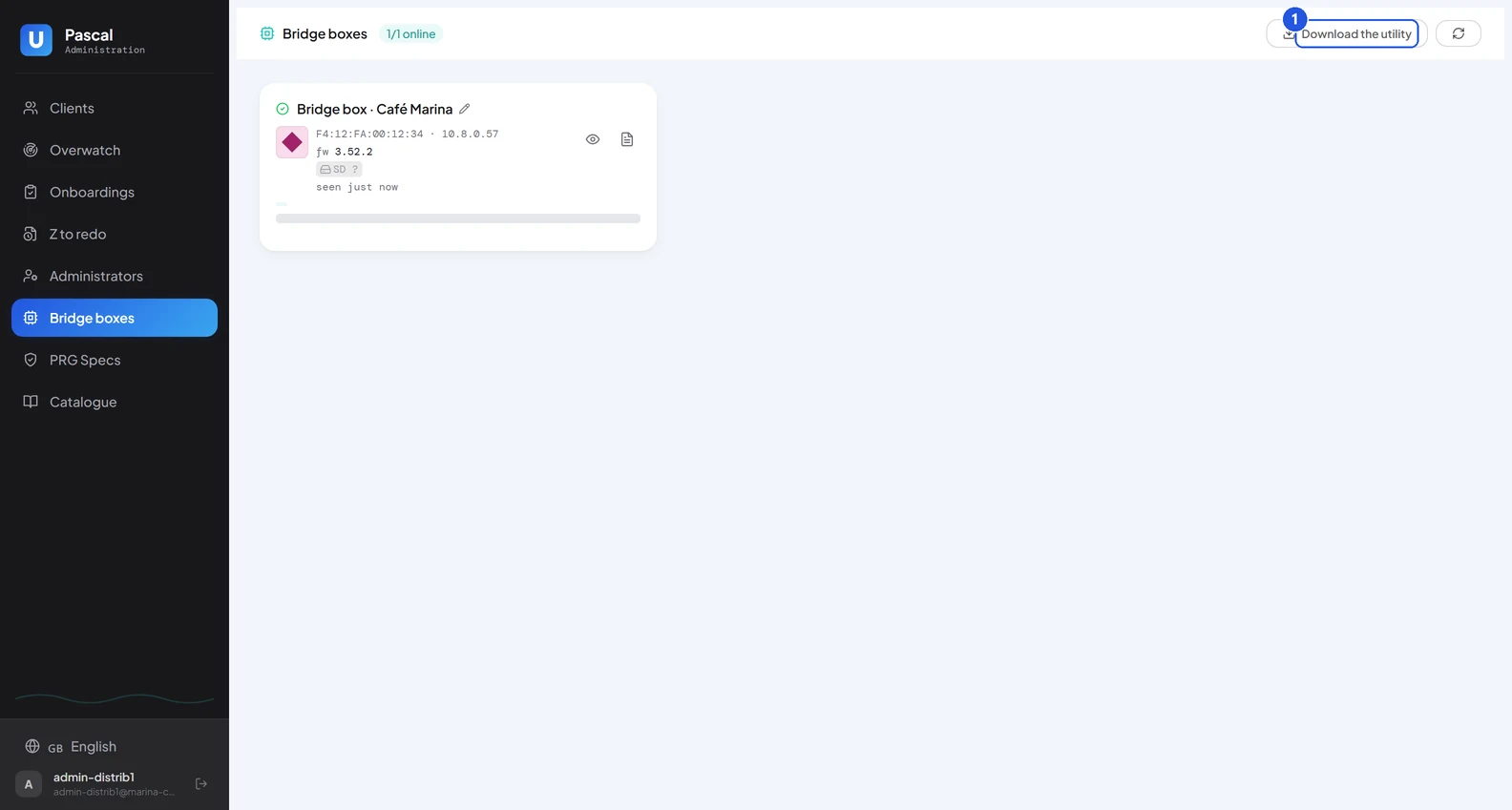
Sign in to your dealer platform and open the «Bridge boxes» tab: it lists your boxes and gives you the utility that prepares a new one.
Sign in to your dealer platform
Open the «Bridge boxes» tab
Bridge boxes tab of the dealer platform, with the download button
UniCLOUD · Setting up a bridge box4 / 10
II
On the dealer platform
Download the utility
Press «Download the utility»: you get UniCLOUD Bridge Box Utility, a Windows program with the firmware 3.52.2 inside. There is no separate firmware file.
«Download the utility»
Save the program on your computer
Close-up of the Download the utility button
UniCLOUD · Setting up a bridge box5 / 10
III
On your computer
Open the utility
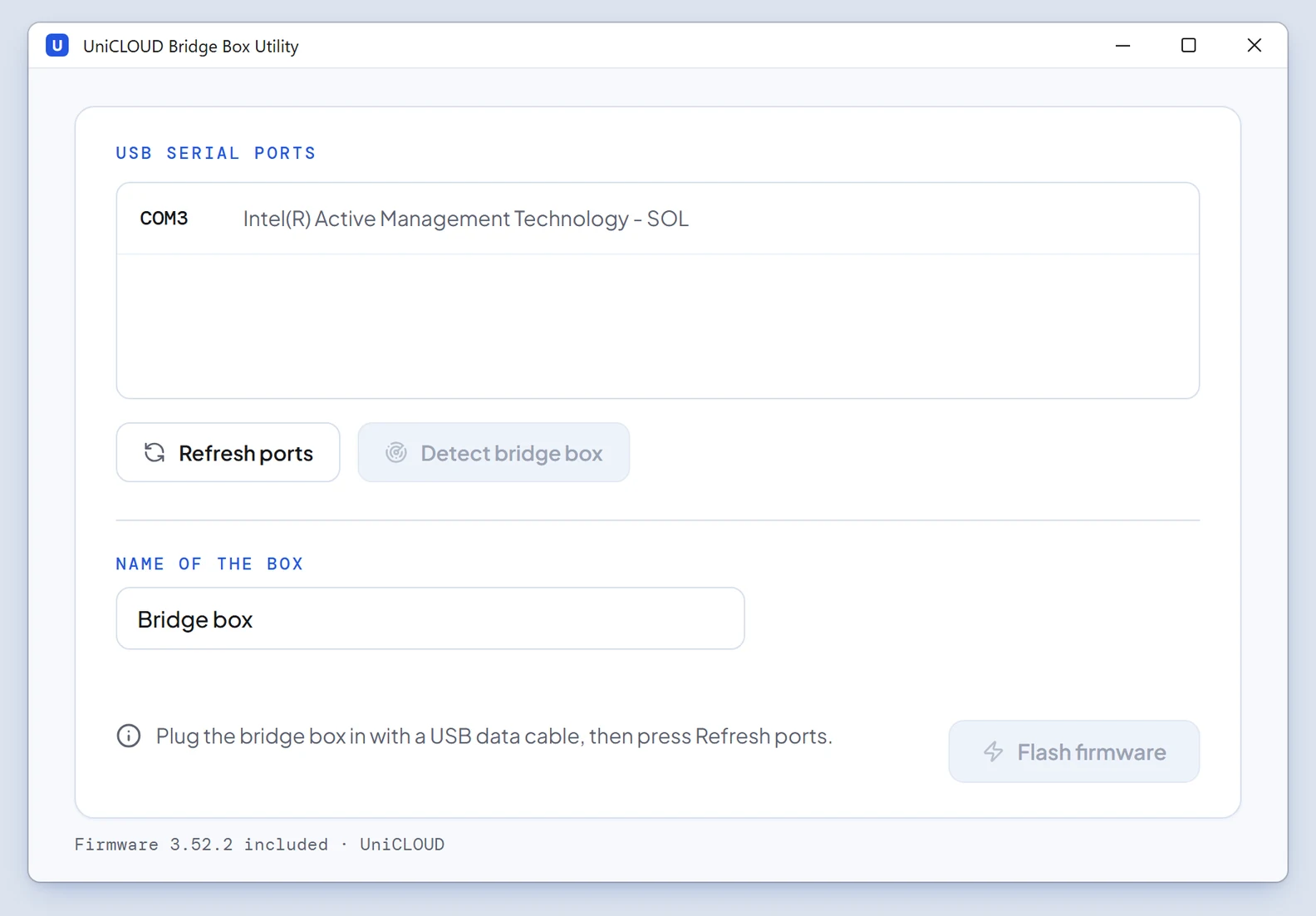
Run UniCLOUD Bridge Box Utility. One window: the USB ports of your computer, three buttons and the name the box will carry.
Open the downloaded program
If Windows shows «Windows protected your PC»: «More info», then «Run anyway»
UniCLOUD Bridge Box Utility just opened: port list, buttons and name field
UniCLOUD · Setting up a bridge box6 / 10
IV
On your computer
Plug in the box and scan the ports
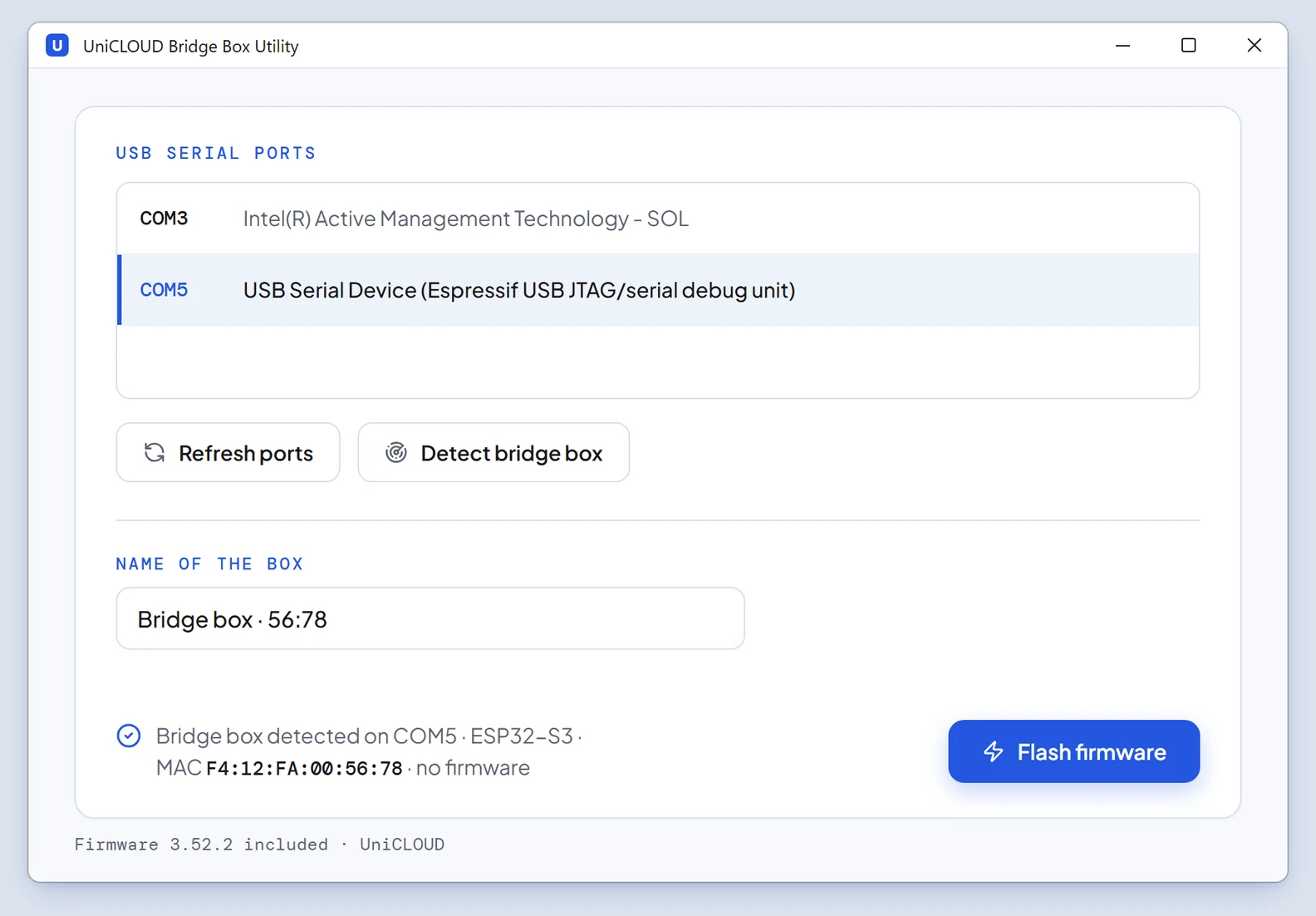
Connect the box to the computer with the USB data cable, press «Refresh ports», then «Detect bridge box»: the utility finds the port the box answers on.
Plug the box in with the USB data cable
«Refresh ports»
«Detect bridge box»
The utility has detected the bridge box on a USB port
UniCLOUD · Setting up a bridge box7 / 10
V
On your computer
Flash the firmware
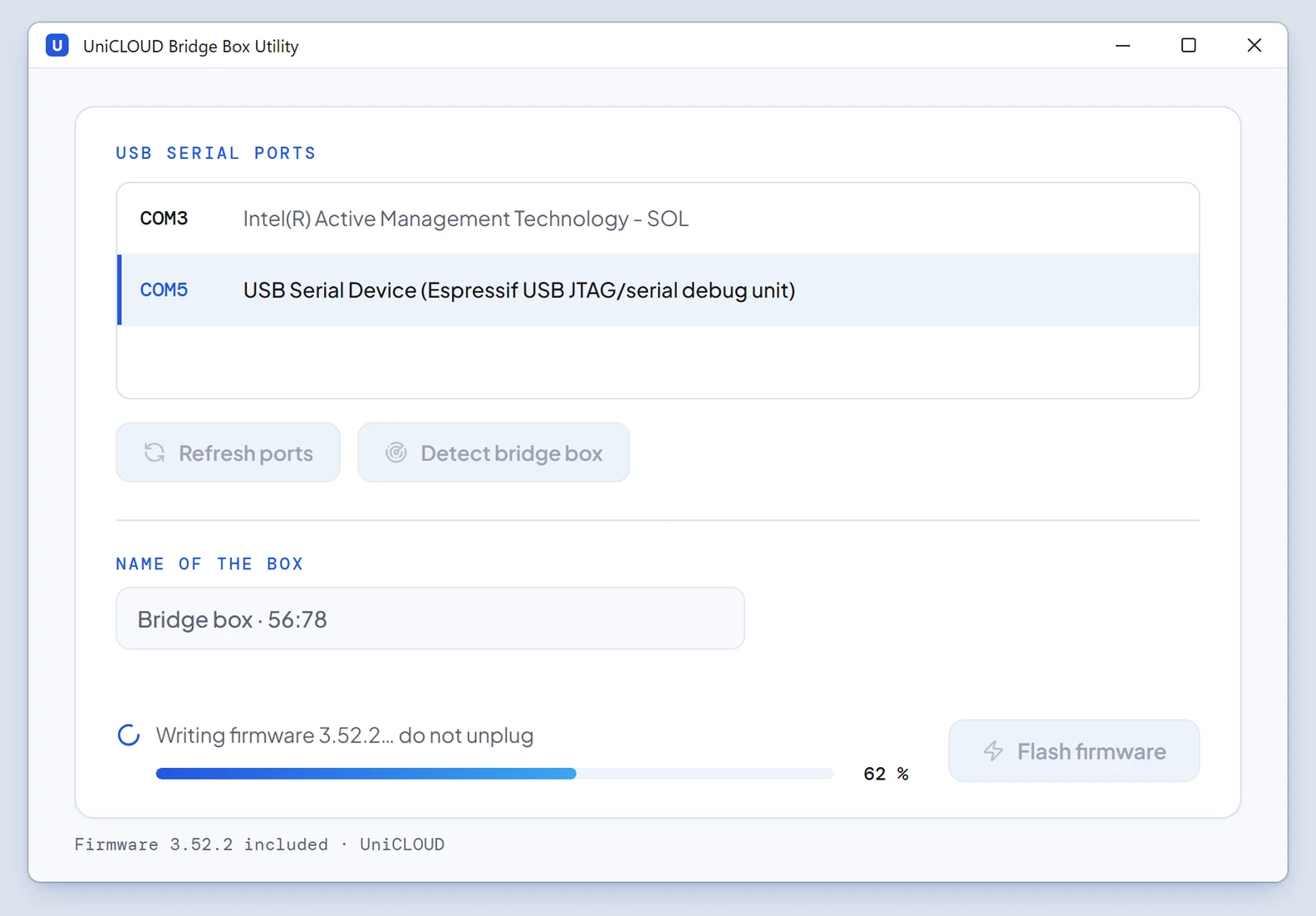
Check the «Name of the box»: it is prefilled (Bridge box · 56:78 in this example) and you can change it. Press «Flash firmware» and wait until the utility reports that it is done.
«Name of the box»: keep it or type your own
«Flash firmware»
Done: the box restarts by itself, you can unplug it
The utility writing the firmware 3.52.2 to the bridge box
UniCLOUD · Setting up a bridge box8 / 10
VI
On the dealer platform
See the box on your dealer platform
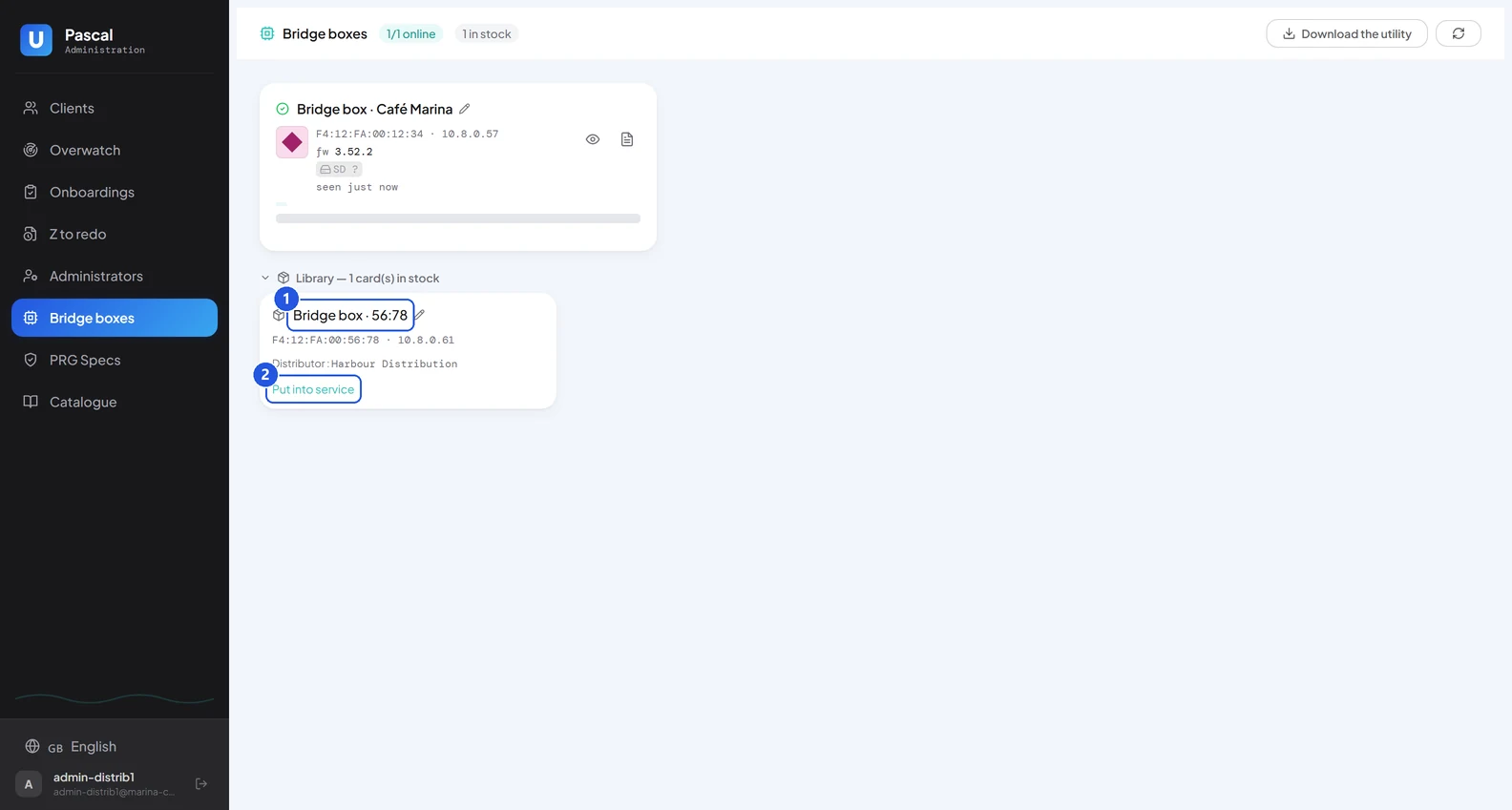
Back in the «Bridge boxes» tab, the box appears within a minute in the «Library», ready to be put into service.
«Bridge boxes» tab, «Library»
«Put into service» when you are about to use it
The new bridge box listed in the Bridge boxes tab
UniCLOUD · Setting up a bridge box9 / 10
The box is ready
Downloaded, flashed, listed: the box waits in the Library of your dealer platform until its onboarding.
The quick guide: putting the box into service and attaching it during the onboarding